
Video calls demand different skills than in-person meetings. Employees who master these etiquette rules advance faster in remote environments. These 20 guidelines separate professionals from amateurs during virtual collaboration.
1. Join Calls Five Minutes Early
Punctuality means arriving before the scheduled start time. Log in at least five minutes ahead to test audio and video. Technical issues resolved early prevent wasting team minutes. Latecomers disrupt flow and signal disrespect for colleagues’ schedules.
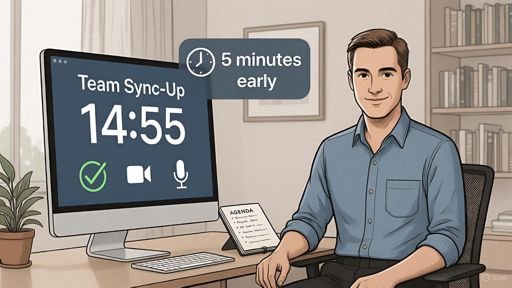
Use those extra minutes to review agendas and prepare questions. Early arrival demonstrates commitment and professionalism. Managers notice employees who value everyone’s time.
2. Mute Your Microphone When Not Speaking
Background noise distracts participants from important discussions. Dogs barking, children playing, and keyboard clicking derail concentration. Press mute immediately after you finish speaking.

Unmute only when you need to contribute. This simple action shows awareness of group dynamics. Fifty participants breathing into microphones creates unbearable audio chaos.
3. Position Your Camera at Eye Level
Low camera angles make you appear submissive or unprepared. High angles create condescending impressions that damage relationships. Stack books under your laptop to achieve proper height.
Your camera lens should align with your nose. This position mimics natural eye contact during conversations. Colleagues perceive you as confident and engaged throughout discussions.
4. Test Technology Before Critical Meetings
Equipment failures during client presentations destroy credibility instantly. Check camera, microphone, and internet connection 30 minutes beforehand. Run test calls with colleagues to verify everything functions properly.
Keep backup headphones charged and accessible. Save your mobile hotspot password in an easy location. Redundancy separates professionals from those who make excuses.
5. Dress Professionally from Waist Up
Casual attire damages your professional image even on video. Wear the same clothes you would choose for office meetings. Your brain registers the difference and improves focus during calls.
Avoid busy patterns that create visual distortion on camera. Solid colors in blues, grays, or earth tones work best. Colleagues judge your seriousness within three seconds of joining.
6. Eliminate Distracting Backgrounds
Cluttered shelves pull attention away from your contributions. Remove personal photos, random trinkets, and competing visual elements. Neutral walls with minimal decoration work best for business calls.
Blurred backgrounds create amateur impressions that undermine authority. Virtual backgrounds look fake and distract from your message. Invest five minutes in organizing physical space behind you.
7. Look at Your Camera When Speaking
Staring at faces on your screen breaks eye contact with listeners. Train yourself to look directly at the camera lens. This creates connection that builds trust and credibility.
Practice this skill until it becomes automatic habit. The difference transforms how managers and clients perceive your engagement. Mark your camera with a small sticker for reference.
8. Close Unnecessary Applications and Tabs
Email notifications popping up during presentations embarrass you publicly. Browser tabs consuming bandwidth cause frozen video and choppy audio. Close everything except required meeting software.
Disable desktop notifications 10 minutes before calls start. Your undivided attention demonstrates respect for participants. Multitasking telegraphs disinterest that colleagues remember during promotion discussions.
9. Use Professional Display Names
“CoolDude87” or “MomOf3” destroys credibility in business settings. Set your display name to your full professional name. Include your title or department if company culture supports it.
Consistent naming helps colleagues recognize you across platforms. First impressions form instantly when you join meetings. Professional names signal you take work seriously.
10. Prepare Your Talking Points in Advance
Rambling wastes everyone’s minutes and makes you appear unprepared. Write three key points you want to communicate. Practice saying them in under 60 seconds before meetings.
Organized thoughts demonstrate competence and respect for group time. Managers promote employees who contribute efficiently. Preparation separates high performers from those who improvise poorly.
11. Avoid Eating or Drinking on Camera
Chewing sounds amplify through microphones into disgusting distractions. Sipping coffee constantly signals boredom or lack of engagement. Finish meals and beverages before joining calls.
Emergency water breaks should happen off camera with microphone muted. Eating during video meetings shows disrespect that colleagues discuss privately. Save snacks for breaks between sessions.
12. Minimize On-Screen Movement and Fidgeting
Constant shifting in your chair distracts viewers from your message. Spinning pens, adjusting hair, and checking phones telegraph nervousness or disinterest. Sit still and maintain composed posture throughout calls.
Practice mindful awareness of your body language. Record yourself during practice sessions to identify distracting habits. Stillness projects confidence and authority that advances careers.
13. Use Reactions and Gestures Appropriately
Virtual thumbs up and clapping emojis acknowledge contributions without interrupting speakers. Use these features sparingly to avoid cluttering screens. Overuse makes you appear unprofessional or immature.
Nod visibly when you agree with points being made. Smile naturally during positive discussions. Physical feedback helps speakers know their message lands effectively.
14. Wait for Natural Pauses Before Speaking
Interrupting colleagues on video calls creates awkward overlaps and confusion. Watch for verbal and visual cues that someone finished their thought. Pause two seconds before you begin talking.
Raise your virtual hand if your platform offers this feature. This signals your desire to contribute without disrupting flow. Patience demonstrates emotional intelligence that managers value.
15. Take Notes Visibly During Important Discussions
Writing down key points shows active listening and engagement. Keep a notebook in camera view so colleagues see your attention. Digital note-taking works if you can type without looking down constantly.
Reference your notes when asking follow-up questions. This proves you absorbed information and care about details. Visible note-taking builds reputation as thorough and reliable employee.
16. Announce Your Departure Before Leaving Early
Silently dropping from calls appears rude and unprofessional. State your reason and departure time at the meeting start. Thank participants before you exit if leaving before official end time.
Technical issues requiring early departure warrant brief explanations in chat. Follow up with meeting organizer afterward to catch up on missed content. Transparency maintains trust with colleagues.
17. Contribute Meaningfully to Every Meeting
Silent participants waste their time and company resources. Prepare at least one question or insight before each call. Speaking up demonstrates engagement and adds value to discussions.
Quality beats quantity in contributions. One insightful observation outweighs ten obvious comments. Think before speaking to ensure your words advance the conversation forward.
18. Respect Meeting Agendas and Time Limits
Tangents derail productivity and frustrate time-conscious colleagues. Stick to scheduled topics unless the organizer redirects discussion. Suggest separate meetings for unrelated issues that arise.
End your contributions on time when given specific speaking slots. Running over your allotted minutes disrespects others waiting their turn. Time discipline earns respect from managers and peers.
19. Follow Up with Action Items Promptly
Commitments made during video calls require immediate follow-through. Send summary emails within two hours restating your responsibilities. Complete assigned tasks before stated deadlines without requiring reminders.
Proactive follow-up builds reputation as reliable team member. Managers promote employees who deliver without constant supervision. Your actions after meetings matter more than your words during them.
20. Express Gratitude and Appreciation
Thank meeting organizers for their preparation and leadership. Acknowledge colleagues who contributed valuable insights during discussions. Simple appreciation strengthens team bonds in remote environments.
End calls with positive energy and clear next steps. Your closing words linger in participants’ memories. Gratitude distinguishes you as thoughtful professional who values collaboration.
Master These Rules for Career Advancement
Video conference etiquette reveals your professionalism to managers and clients. Employees who practice these 20 rules consistently earn promotions faster. Remote work rewards those who communicate effectively through digital channels.
Start implementing three rules this week. Add more guidelines as they become automatic habits. Small improvements compound into significant competitive advantages in virtual workplaces.
Your video presence represents your personal brand. Colleagues form lasting impressions based on these brief interactions. Mastering these etiquette rules positions you as leader worth following.